
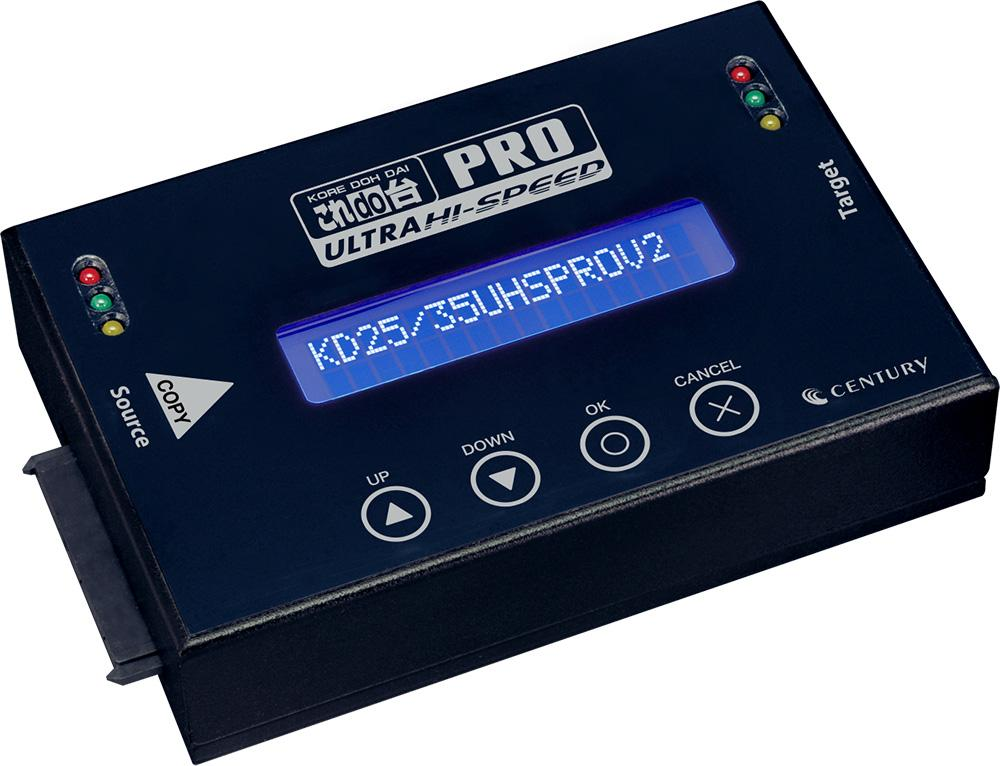
Buy Mini HDD Copy Pro IX (KD25/35UHSPROV2) Duplicator for HDD/SSD: 3.5″ SATA HDD, 2.5″ SATA HDD, 2.5″ SATA SSD, 3.5 IDE HDD, 2.5 IDE HDD, 2.5 IDE SSD
Mini HDD Copy Pro IX (KD25/35UHSPROV2)
- Target Products: This is the Ultra Hi-Speed PRO V2 stand.
- Product Name: Koredo-dai Ultra Hi-Speed PRO V2
- Model Name: Mini HDD Copy Pro IX
- Model Number: KD25/35UHSPROV2
- Description: Ultra Hi-Speed PRO V2 HDD SSD Cloner/Copier (KD25/35UHSPROV2)
- Compatible HDD/SSD:
- 3.5″ SATA HDD
- 2.5″ SATA HDD
- 2.5″ SATA SSD
- 3.5 IDE HDD
- 2.5 IDE HDD
- 2.5 IDE SSD
- Features and Characteristics:
- Clone function
- Erase function
Mini HDD Copy Pro IX (KD25/35UHSPROV2)
Buy Mini HDD Copy Pro IX (KD25/35UHSPROV2) Duplicator for HDD/SSD: 3.5″ SATA HDD, 2.5″ SATA HDD, 2.5″ SATA SSD, 3.5 IDE HDD, 2.5 IDE HDD, 2.5 IDE SSD
Buy Mini HDD Copy Pro IX (KD25/35UHSPROV2) from Aft India for Sale. Ultra Hi-Speed HDD SSD Duplicator PRO V2 Compatible HDD/SSD: 3.5″ SATA HDD, 2.5″ SATA HDD, 2.5″ SATA SSD, 3.5 IDE HDD, 2.5 IDE HDD, 2.5 IDE SSD. Mini HDD Copy Pro IX (KD25/35UHSPROV2) from Aft India for Sale. Buy Mini HDD Copy Pro IX. This is the Ultra Hi-Speed PRO V2 (KD25/35UHSPROV2). Professional-grade, high-speed full-body copying and data erasure for 3.5 & 2.5-inch SATA HDDs/SSDs! Also supports IDE HDDs.
- It’s possible to copy and erase all data from a SATA HDD/SSD without needing a PC.
- High-speed copy and erase approaching the SATA 3.0 (6Gbps) standard limit.
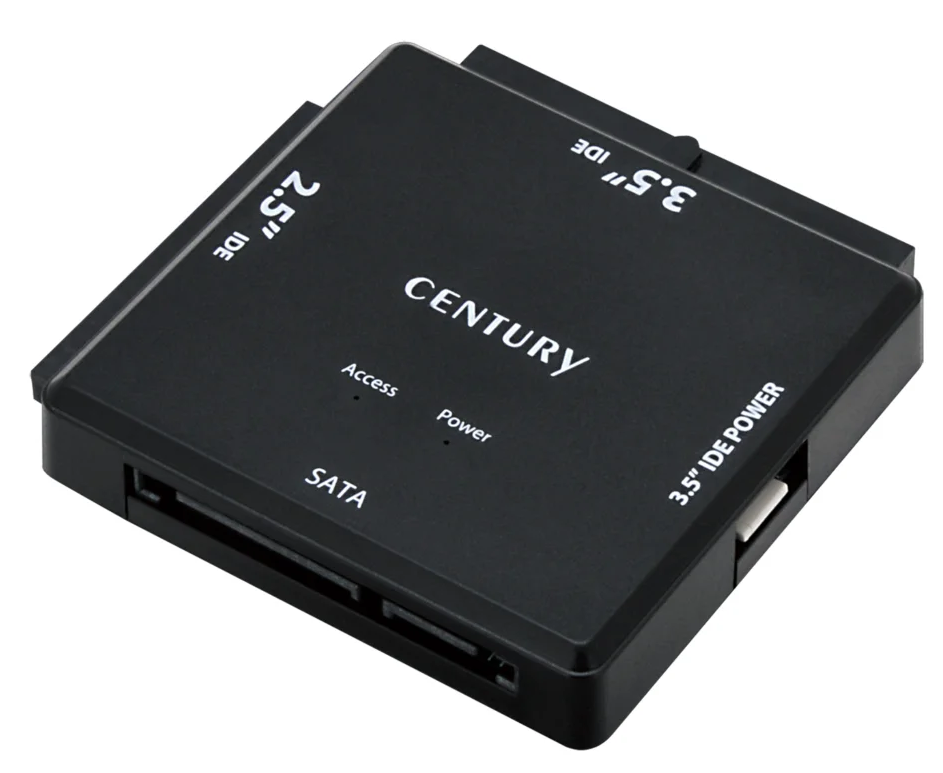
- The included adapter also supports IDE HDDs.
- It features four copy modes and two copy support functions.
- Seven data erase modes, including the ability to erase data from two devices simultaneously.
- Speed test function to measure the read and write speeds of the device.
- Ten types of SMART information are displayed.
Professional-grade, high-speed full-body copying and data erasure for 3.5 & 2.5-inch SATA HDDs/SSDs! Also supports IDE HDDs.
Compatible HDD/SSD:
- 3.5″ SATA HDD
- 2.5″ SATA HDD
- 2.5″ SATA SSD
- 3.5 IDE HDD
- 2.5 IDE HDD
- 2.5 IDE SSD
Features and Characteristics:
- Clone function
- Erase function
Product Specifications
| Product name | This is the Ultra Hi-Speed PRO V2 stand – Mini HDD Copy Pro IX |
|---|---|
| Model number | KD25/35UHSPROV2 |
| JAN code | 4549032018554 |
| Warranty period | 1 year |
| Body color | black |
| Device Interface | SATA Revision 3.0~1.0(6G~1.5Gbps) |
| Supported file systems | FAT16/32, NTFS, EXT2/3/4 |
| Compatible partition tables | MBR, GPT (Note: Unsupported file systems can be copied using a whole HDD/SSD.) |
| Main unit dimensions (approx.) | Width 116mm x Height 28.5mm x Depth 79mm (excluding accessories and protrusions) |
| Weight (approx.) | 365g (excluding accessories) |
| Temperature/humidity | Temperature 5-45°C, humidity 20-80% (non-condensing, within the operating range of the connected HDD/SSD) |
| AC adapter specifications | [Input] 100V-240V [Output] 12V 5A |
*This product does not contain PCBs (polychlorinated biphenyls).
| Compatible SATA HDDs |
|---|
| ● 2.5 or 3.5-inch SATA HDD [SATA Revision 3.0 to 1.0 (6G to 1.5Gbps)] *Operation confirmed with HDDs up to 32TB (as of March 2026). . *SAS (Serial Attached SCSI) HDDs cannot be used. |
| Compatible SATA SSDs |
| ● MLC / TLC / QLC type 2.5-inch SATA SSD [SATA Revision 3.0 to 1.0 (6G to 1.5Gbps)] *SLC type SSDs are not covered by the warranty. |
| Compatible IDE HDD/SSD (when using the included SATA-IDE adapter) |
| ● 2.5-inch/3.5-inch HDD or SSD equipped with an IDE (PATA) interface ● HDDs that operate with Ultra DMA 2 or higher (HDDs with Ultra DMA 0-1 or PIO will not work) *If connecting two IDE HDDs simultaneously, please purchase one additional conversion adapter. (Model number: KDA-IDE) *It is not possible to connect a 2.5-inch HDD and a 3.5-inch HDD simultaneously to a single IDE-SATA conversion adapter. |
Please note
1.8-inch, ZIF connector, MicroSATA connector, PCIe connection, M.2, 3.3V, 12V powered, and specially shaped SSDs cannot be connected. This device does not support SAS (Serial Attached SCSI) HDDs/SSDs. This device does not support devices other than HDDs/SSDs (such as optical drives, MO drives, etc.).
*Due to the nature of the Mini HDD Copy Pro IX (KD25/35UHSPROV2) product, we cannot guarantee operation in all environments and combinations.
Precautions when using the copy function
- Please use a destination HDD/SSD with the same or larger capacity than the source HDD/SSD.
- System & file copy and partition copy detect and copy the file system and partition table on the HDD/SSD. When copying an HDD/SSD with an unsupported file system or partition table, please use Whole HDD/SSD.
- Copying a whole HDD/SSD involves copying all sectors, including unused areas, which can take a very long time depending on the HDD’s capacity.
- [Example] Copying between two 3TB HDDs takes approximately 6 hours (actual copy speeds can vary significantly depending on the HDD used). Copying is not possible if the sector sizes (512e, 4Kn, etc.) differ between the source and destination.
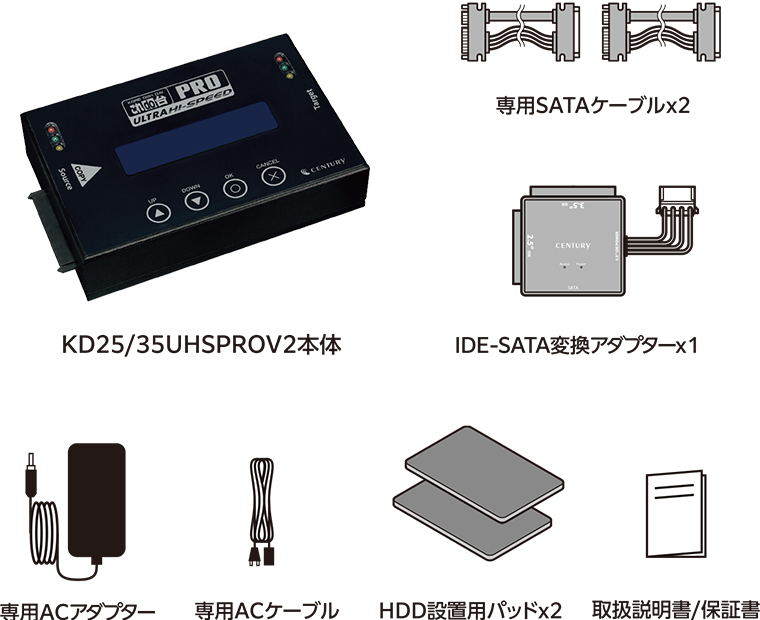
Product content (Mini HDD Copy Pro IX (KD25/35UHSPROV2)
*This product does not include an HDD/SSD.
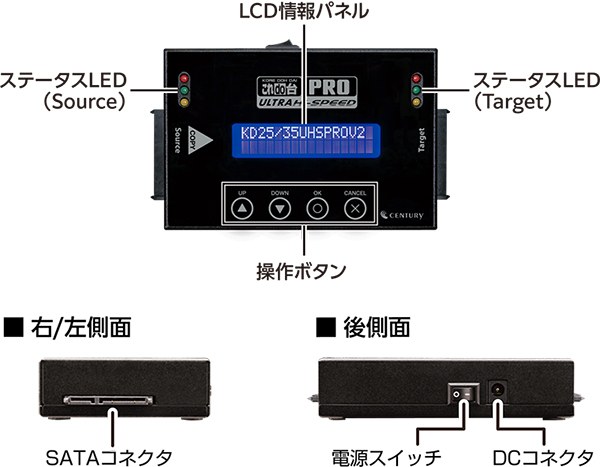
Part names
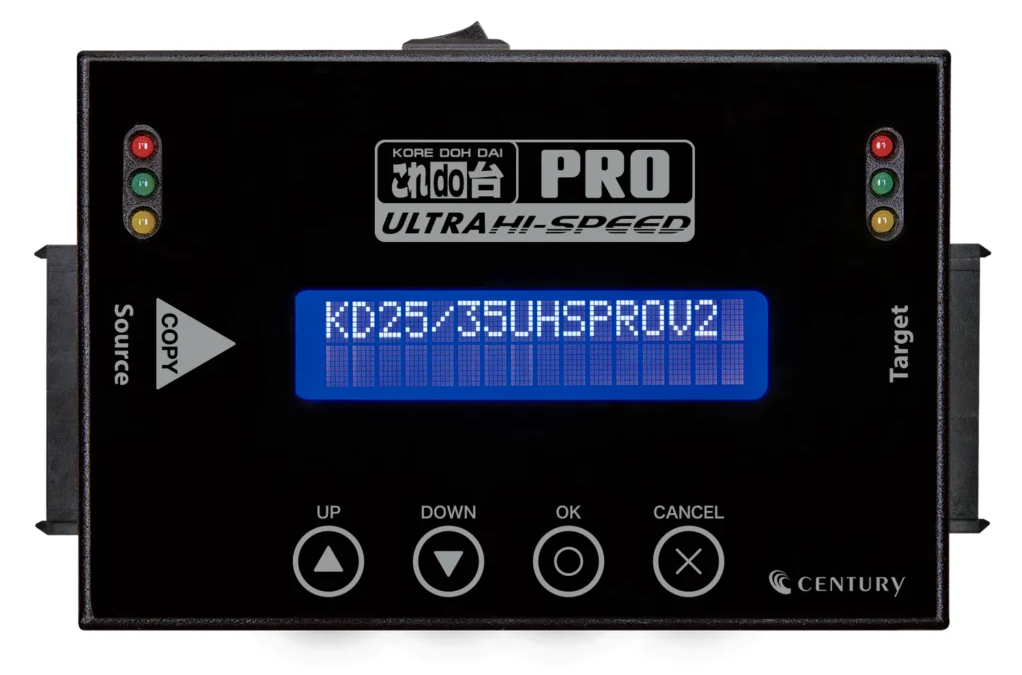
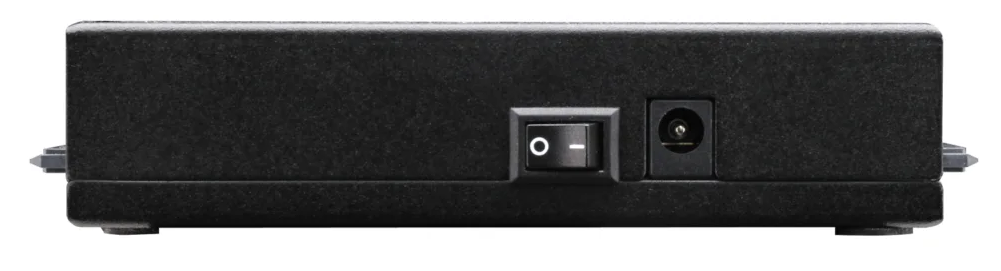
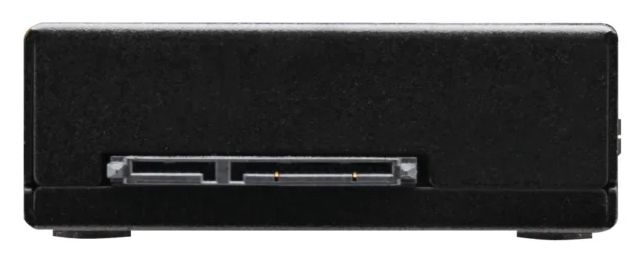
Product features
- It’s possible to copy and erase all data from a SATA HDD/SSD without needing a PC.
- High-speed copy and erase approaching the limits of the SATA 3.0 (6Gbps) standard.
With SATA 3.0 (6Gbps) support, it achieves more than double the transfer speed compared to non-compatible models!

*Actual measurements in our test environment. SSD used: Western Digital WD Red (2TB).
*Transfer speeds will vary significantly depending on the HDD/SSD you use.
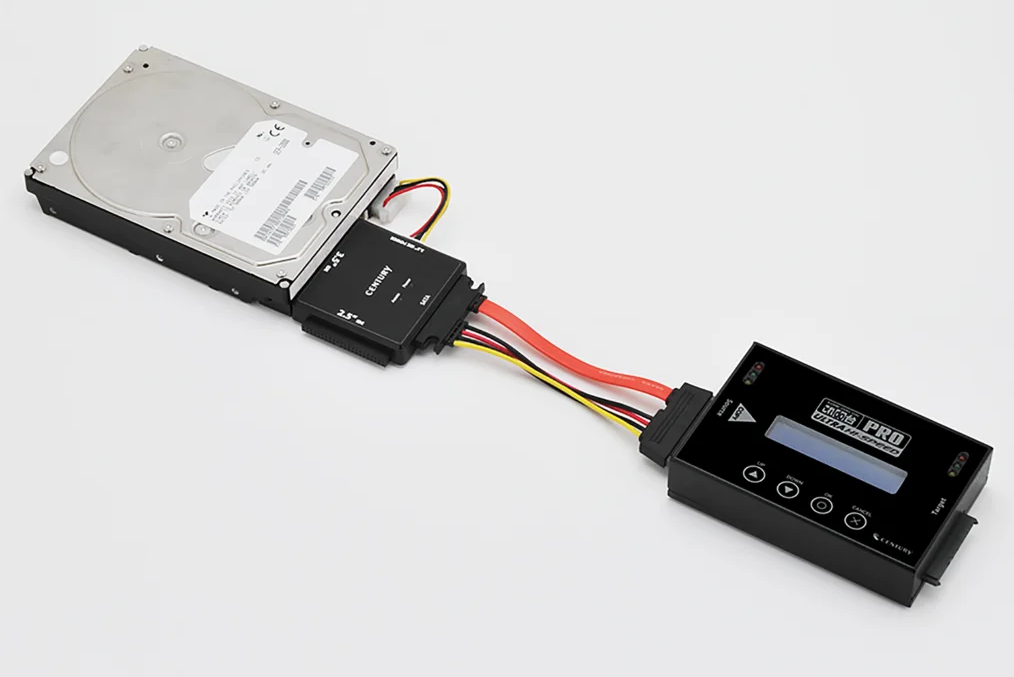
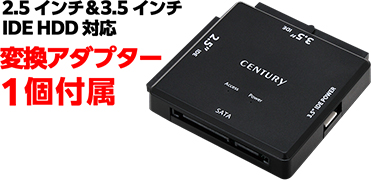
The included adapter also supports IDE HDDs.
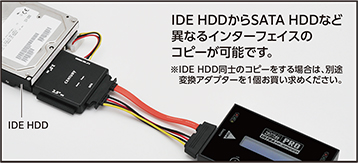
Includes one adapter for connecting IDE HDDs!
Allows copying data from IDE HDDs to SATA HDDs and other drives with different interfaces.
*For details on additional IDE-SATA adapters, please click here.
4 types of copy modes
▶ System & File Copy
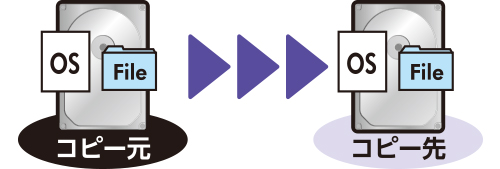
This process copies only the system data and files from the HDD. Because it copies only the data being used and not the free space, the copy time is minimized.
▶All partition copy
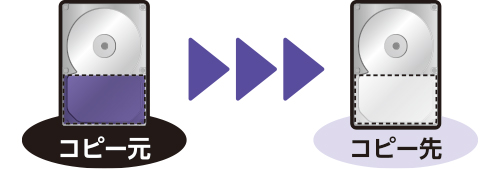
Because it does not copy areas that have not been partitioned, it enables high-speed copying.
▶Whole HDD/SSD Copy
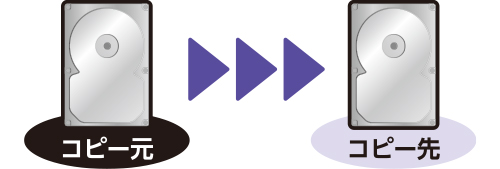
This will copy the entire contents of your HDD.
It can copy regardless of the operating system or format.
▶Percent copy
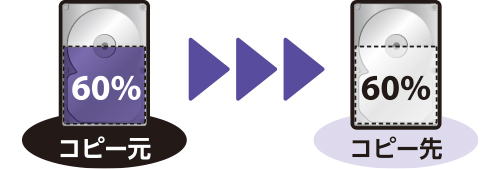
This function copies a specified area of an HDD/SSD.
It’s possible to copy only a specific portion, such as when you know in advance which areas are corrupted.
Two types of copy assistance functions
▶Error Skip
If there are sector errors on the disk, you can skip the error locations and force the copy to continue.
*Please note that if you skip errors during the copy process, the copied HDD/SSD may not function correctly.
▶Compare
This function compares the contents of the source disk and the destination disk to determine if they are identical.
Seven data erase modes, including the ability to erase data from two devices simultaneously.
▶ Quick Erase
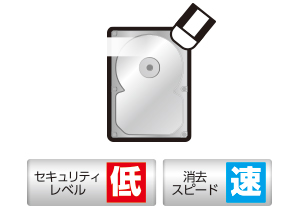
This writes 0x00 to the first sector of the disk. This allows for extremely fast data erasure.
▶Fluid Erase
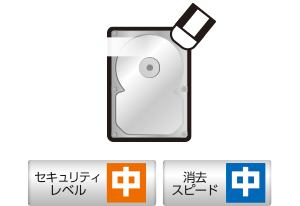
Write 0x00 to all sectors.
▶DoD Erase
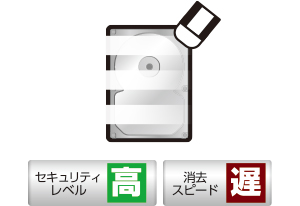
Write 0x00, 0xFF, and a random number to all sectors.
▶DoD Erase & Compare
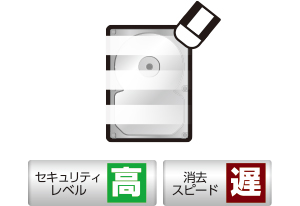
Write 0x00, 0xFF, and a random number to all sectors, and then perform a compare test.
▶DOD ECE 7 times erase
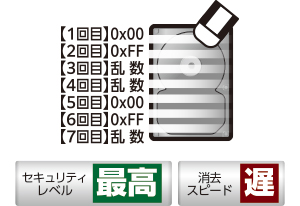
The data is erased by writing to all sectors seven times.
▶Secure Erase
This command is executed on devices that support secure erase, thereby erasing the data.
▶Enhanced Secure Erase
This command instructs devices that are using Enhanced Secure Erase to execute the command and erase the data.
Speed test function
This device can measure the read/write speed of connected HDDs/SSDs.
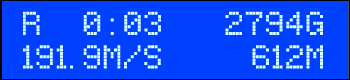
*Please note that the write test will erase your data.
SMART information display function
▶10 types of SMART information can be displayed!

- Disk capacity
- Model number display
- Firmware version
- Serial number
- Number of power-on cycles
- Usage time
- Number of alternate sectors
- Number of bad sectors
- Seek error rate
- temperature
Important Notes Regarding the SMART Information Display Function
Depending on the HDD manufacturer/model, different values may be displayed even if the HDD is error-free.
Please note that this is a specification of this product.
*Please note that the color of the actual product may differ from what you see on your monitor.
Buy Mini HDD Copy Pro IX (KD25/35UHSPROV2) Duplicator for HDD/SSD: 3.5″ SATA HDD, 2.5″ SATA HDD, 2.5″ SATA SSD, 3.5 IDE HDD, 2.5 IDE HDD, 2.5 IDE SSD
Buy Mini HDD Copy Pro IX (KD25/35UHSPROV2) – Mini HDD Copy Pro IX (KD25/35UHSPROV2) Duplicator for HDD/SSD: 3.5″ SATA HDD, 2.5″ SATA HDD, 2.5″ SATA SSD, 3.5 IDE HDD, 2.5 IDE HDD, 2.5 IDE SSD Century Products from Aft India.