
FIDO2 U2F Security Key Compatibility: Worldwide Applications
FIDO2 U2F Security Key Compatibility helps businesses identify hardware security keys that work with supported applications, operating systems, browsers and identity providers worldwide. AFT INDIA supplies cybersecurity hardware and authentication products for organizations seeking FIDO2 USB security keys, FIDO U2F authentication keys and phishing-resistant multi-factor authentication (MFA) solutions.
Understanding FIDO2 U2F Security Key Compatibility is essential when selecting a hardware authenticator for enterprise applications, cloud accounts, developer platforms and online services. Depending on the model, security keys may use USB-A, USB-C or NFC to authenticate with compatible devices.
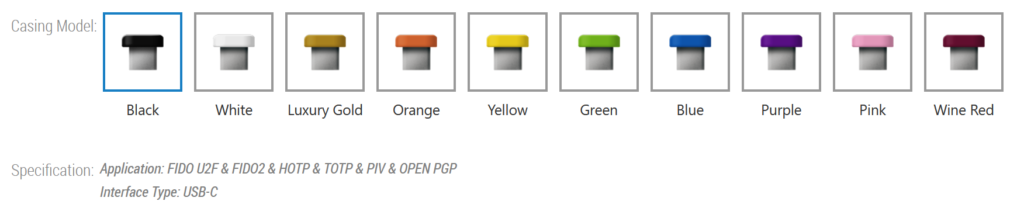
Check FIDO2 U2F Security Key Compatibility with supported operating systems, browsers, cloud platforms and enterprise applications worldwide.
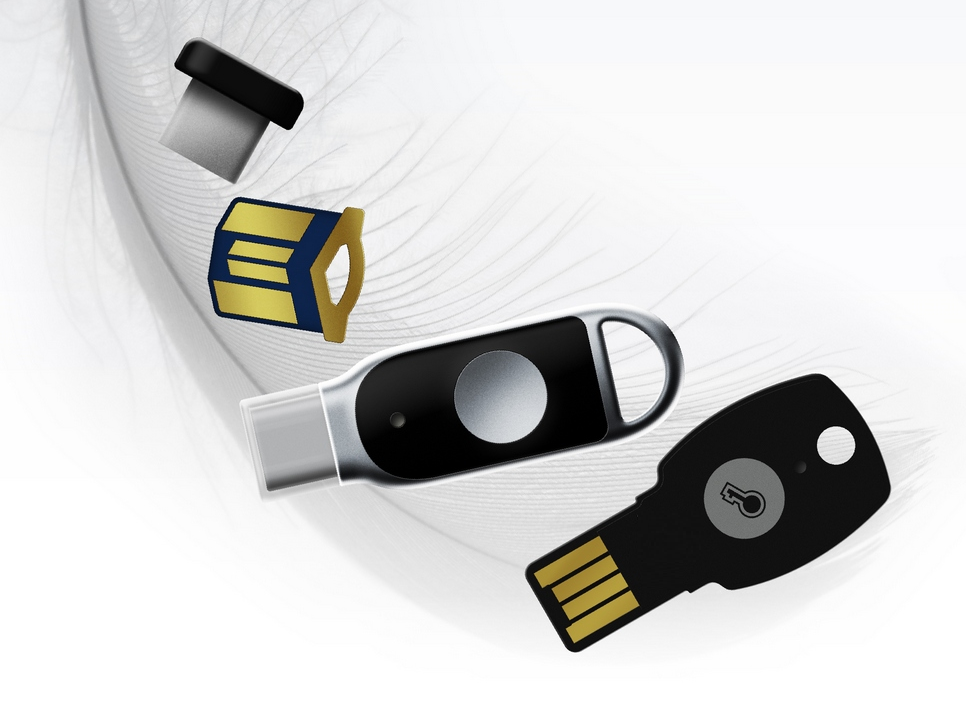
What Is FIDO2 U2F Security Key Compatibility?
FIDO2 U2F Security Key Compatibility describes whether a hardware security key can authenticate with a service that supports the corresponding FIDO protocol. FIDO2 uses WebAuthn and CTAP to enable public-key authentication, including passwordless sign-in and passkeys where supported. FIDO U2F provides hardware-based second-factor authentication for compatible services.
Checking FIDO2 U2F Security Key Compatibility before purchasing helps ensure that the selected key meets the application’s authentication requirements. Although some FIDO2 keys also support legacy U2F, protocol support, user verification, certification and application policies vary by model.
Worldwide 2FA and MFA Application Compatibility
FIDO2 U2F Security Key Compatibility is relevant to organizations deploying hardware-based two-factor authentication (2FA), multi-factor authentication (MFA), passwordless login and phishing-resistant authentication.
The following directory identifies major application providers and platforms to evaluate. Individual services may support FIDO2, legacy U2F or other authentication methods; not every listed application supports every protocol or hardware key.
1. Enterprise Identity, SSO and Access Management
FIDO2 U2F Security Key Compatibility is particularly important for enterprise identity providers and single sign-on (SSO) platforms.
Applications and providers to evaluate include:
- Microsoft Entra ID
- Okta
- Ping Identity and PingOne
- Duo Security
- Google Cloud Identity
- IBM Security Verify
- OneLogin
- JumpCloud
- Auth0
- Keycloak
- CyberArk
- ForgeRock
- SecureAuth
- Entrust Identity
These platforms can provide hardware security key authentication through supported native authentication methods or identity integrations. Confirm whether the required service supports FIDO2/WebAuthn, legacy U2F or both.
2. Microsoft Applications and Enterprise Productivity
For Microsoft environments, FIDO2 U2F Security Key Compatibility can be relevant to supported sign-in flows for:
- Microsoft Entra ID
- Microsoft 365
- Microsoft Outlook
- Microsoft Teams
- Microsoft OneDrive
- Microsoft SharePoint
- Microsoft Exchange Online
- Microsoft Azure
- Azure DevOps
- Microsoft Windows sign-in through supported Entra ID configurations
Microsoft Entra ID supports FIDO2 security keys for compatible authentication scenarios. Availability across browsers, operating systems and native applications varies by configuration. See the official Microsoft Entra FIDO2 compatibility matrix.
3. Google Applications and Cloud Services
FIDO2 U2F Security Key Compatibility should also be evaluated for Google authentication and cloud environments, including:
- Google Accounts
- Gmail
- Google Workspace
- Google Drive
- Google Cloud
- Google Cloud Identity
- Google Docs
- Google Sheets
- Google Slides
- Google account administration
Support depends on the account type, service and enabled authentication methods. Check the applicable Google documentation before confirming compatibility for a specific deployment.
4. Cloud Computing and Infrastructure
Organizations can evaluate FIDO2 U2F Security Key Compatibility for supported cloud identity and infrastructure services, including:
- Amazon Web Services (AWS)
- AWS Identity and Access Management (IAM)
- AWS IAM Identity Center
- Microsoft Azure
- Google Cloud
- Cloudflare
- Oracle Cloud Infrastructure
- IBM Cloud
- DigitalOcean
- Alibaba Cloud
- Tencent Cloud
- Huawei Cloud
- Akamai Cloud
AWS IAM explicitly supports FIDO2 security keys as an MFA method in supported configurations. Other services require individual verification. See the official AWS security-key compatibility documentation.
5. Developer Platforms and Source-Code Security
FIDO2 U2F Security Key Compatibility can help developers protect accounts and source-code repositories on supported services such as:
- GitHub
- GitLab
- Bitbucket
- Atlassian Cloud
- Docker Hub
- npm
- PyPI
- JetBrains Account
- CircleCI
- Vercel
- Netlify
- Azure DevOps
Check each provider’s current security-key registration and MFA requirements before selecting a key for development teams.
6. Password Managers and Credential Vaults
For password management, evaluate FIDO2 U2F Security Key Compatibility with services such as:
- 1Password
- Bitwarden
- Keeper Security
- Dashlane
- NordPass
- Proton Pass
- LastPass
- Zoho Vault
- RoboForm
- Enpass
Depending on the service, a hardware security key may be used as a second factor, an authentication credential or part of a passkey workflow. These capabilities are not interchangeable, so verify the precise feature required.
7. Social Media and Online Accounts
FIDO2 U2F Security Key Compatibility is also relevant to consumer and business accounts that offer hardware security key authentication.
Services to check include:
- Google Accounts
- X
- Discord
- Apple Account
- Dropbox
- Salesforce
- Shopify
- Cloudflare
Availability differs by platform, region, account type and security settings. Do not assume that a service supporting passkeys necessarily accepts an external FIDO2 USB key for every login flow.
8. Hosting, Website Administration and Business Applications
Organizations evaluating FIDO2 U2F Security Key Compatibility for web administration can investigate:
- WordPress.com
- WordPress installations using compatible authentication plugins
- Cloudflare
- GitHub
- GitLab
- cPanel
- Plesk
- GoDaddy
- Namecheap
- Shopify
- Salesforce
- HubSpot
- Zoho
- Slack
- Notion
Some applications require an extension, authentication plugin, enterprise SSO connection or external identity provider. Verify the exact implementation before deployment.
Operating System and Browser Compatibility
FIDO2 U2F Security Key Compatibility depends on the combination of the hardware authenticator, operating system, browser and target application.
Supported platform combinations to evaluate
- Windows 10 and Windows 11
- macOS
- Linux, Ubuntu and Debian
- ChromeOS
- Android
- iOS and iPadOS
Compatible browser environments to evaluate
- Google Chrome
- Microsoft Edge
- Mozilla Firefox
- Apple Safari
- Brave
- Opera
- Vivaldi
Not every browser and operating-system combination supports every authentication flow. Mobile devices may require NFC, a compatible USB connector or additional platform-specific configuration.
USB-A, USB-C and NFC Security Key Compatibility
Choosing the correct interface is part of FIDO2 U2F Security Key Compatibility.
- USB-A security keys: Suitable for compatible computers and workstations with USB-A ports.
- USB-C security keys: Designed for compatible modern laptops, tablets and mobile devices.
- NFC security keys: Enable contactless authentication on supported NFC-enabled devices.
- PIN-enabled security keys: Support user verification where the authenticator and application require it.
- FIDO2 and U2F dual-protocol keys: Suitable for deployments that need both protocols, provided the selected model explicitly supports them.
FIDO2 Security Keys Versus OTP Hardware Tokens
FIDO2 U2F Security Key Compatibility must not be confused with compatibility for traditional hardware OTP tokens.
FIDO2 and U2F keys use public-key cryptography to authenticate with compatible websites and applications. HOTP and TOTP hardware tokens generate one-time passwords that must be accepted by the application or identity provider.
An application that supports an OTP token does not automatically support a FIDO2 or U2F security key. Likewise, a FIDO2-enabled service may not accept a standalone TOTP token. Select the authentication method according to the service’s supported protocols.
How to Verify FIDO2 U2F Security Key Compatibility
Before purchasing a hardware security key, verify:
- The application supports FIDO2/WebAuthn, U2F or the required authentication method.
- The exact key model supports the required protocol.
- The operating system and browser meet the application’s requirements.
- USB-A, USB-C or NFC matches the target device.
- PIN, touch, biometric or other user-verification requirements are satisfied.
- Any enterprise certification, attestation or compliance requirements are met.
- Registration and login work successfully in the intended environment.
These checks help establish FIDO2 U2F Security Key Compatibility for enterprise rollouts, reseller recommendations and individual deployments.
Buy FIDO2 U2F Security Keys from AFT INDIA
AFT INDIA supplies cybersecurity hardware and authentication products for businesses, IT teams, system integrators and enterprise customers. Contact AFT INDIA to enquire about FIDO2 security keys, FIDO U2F authentication keys, USB-A and USB-C models, NFC-enabled authenticators, specifications and bulk purchasing.
Share your required applications, identity provider, operating systems, interface preference and quantity so that the appropriate hardware configuration can be identified.
For FIDO2 U2F Security Key Compatibility guidance, product recommendations and quotations, contact AFT INDIA with your deployment requirements.
Frequently Asked Questions
What does FIDO2 U2F Security Key Compatibility mean?
It describes whether a hardware security key can authenticate with a particular application or platform using a supported FIDO2 or U2F protocol.
Which applications support FIDO2 security keys for MFA?
Supported examples include Microsoft Entra ID and AWS IAM, along with other identity providers and online services that explicitly support FIDO authentication. Check each service’s documentation for current requirements.
Can a FIDO2 security key work with multiple applications?
Yes. A compatible key can generally be registered with multiple supported services, subject to each service’s registration limits and policies.
Does every FIDO2 security key support U2F?
No. Check the manufacturer’s specifications for explicit legacy U2F support.
Can FIDO2 security keys replace OTP hardware tokens?
They can replace OTP-based authentication in services that support FIDO2, but they cannot automatically replace TOTP or HOTP tokens in applications that require one-time passwords.
How can I check whether my security key is supported?
Review the service provider’s authentication documentation, confirm the exact hardware model and protocol, and test registration with the target application.